 |
|
|
 |
|
|
 |
|
|
|
|
|
 |
|
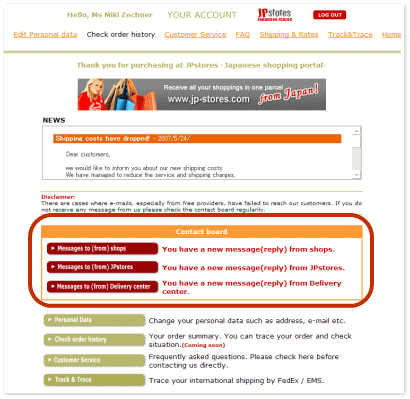
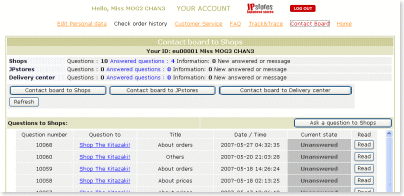
| Ask questions to Shops |
|
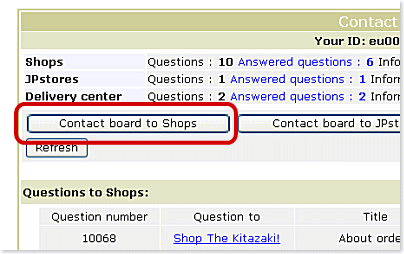
 Click "Contact board to Shops" button Click "Contact board to Shops" button |
|
|
|
|
|
 |
|
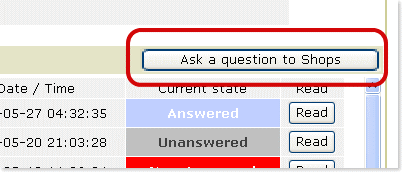
| Click "Ask a question to Shops" button |
|
|
|
|
|
 |
|
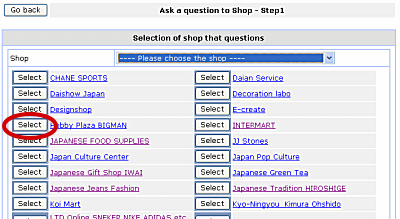
| Choose a shop and click "Select" button |
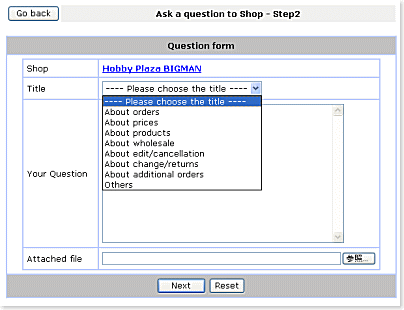
| Click "Next" button |
|
|
|
|
|
 |
|
Choose a title and fill in "Your Question" field
*You can send an attached file if neccessary |
|
|
|
|
|
 |
|
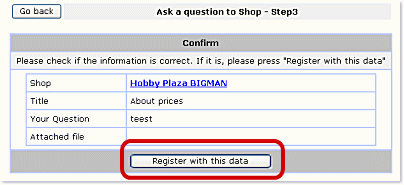
| Click "Register with this data" button |
|
|
|
|
|
 |
|
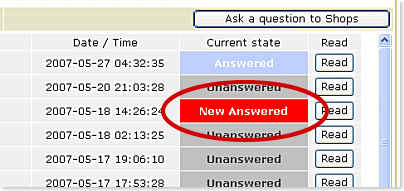
You will receive an answer from the shop.
Click "Read" button and read the message. |
|
|